Clip settings
Add fade to clips
If you select the option "Add fade to clips" the clips will have a fade in/out at the beginning and at the end of the video.

Crop video
The video can be cropped by enabling the option "Crop video", defining the cropping area, and selecting the cropping ratio (16:9, 4:3, free).

Define the cropping area by increasing/decreasing the size of the cropping frame by pulling the edges.
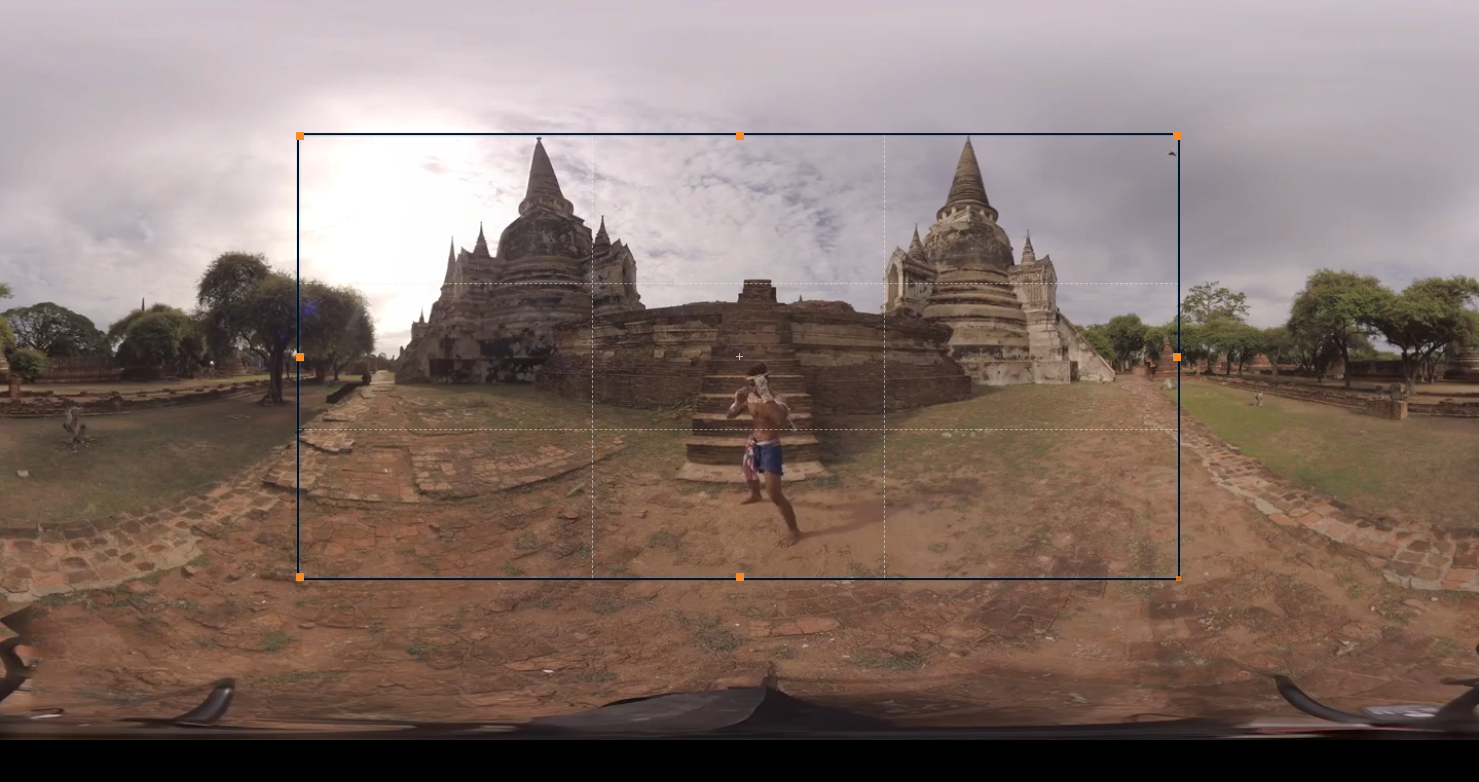
DON’T FORGET - To crop the video, you also need to create at least one clip. If you need a whole video and need only cropping, then define the clip from the beginning to the end.