10.9.2025 - What's new? (2.67.87)
GENERAL
#1 Lock languages for translation
We have added much needed translation lock which will help you to never accidentally override translations.
How does it work?
You can lock whole language completely, or lock only selected fields which will then be skipped while translating the guide/form/board. So, now you don't need to worry, that your edited translations will get overwritten.
You will always know if the language is locked or not by the lock indicator.
Unlocked:
This is the default state. This means all fields are unlocked and will be translated (again) when you hit the "Auto-translate" button.
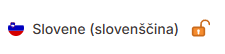
Locked:
Locking and unlocking is as easy as clicking on the lock icon. If you have already edited a language, lock it before translating, so the translating is skipped.
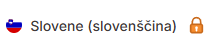
Semi-locked:
You can lock or unlock any field individually. If you add any elements later, you can lock whole language and unlock only the lastly added element to be translated.